Olive Garden
eClub Rewards
Learn everything about the Olive Garden eClub,
including member benefits, rewards, and how to sign up.
Olive Garden eClub is the restaurant’s email club for guests who want news, offers, coupons, birthday perks, and updates from their local Olive Garden. It is not the same as a points-based rewards program, which is an important detail because many customers search for Olive Garden eClub rewards or points. Olive Garden’s own FAQ says the brand currently does not offer a rewards program, but guests can sign up for eClub to receive news and offers.
For most customers in the United States, the eClub is useful because it can send timely coupons and local restaurant updates directly to your email. It can also help you learn about special offers, menu updates, online ordering promotions, and birthday-related perks. The value depends on what offers are active, where you live, and what terms appear in your email coupon.
What Is the Olive Garden eClub?
Olive Garden eClub is a free email sign-up program that sends Olive Garden news, coupons, offers, and birthday-related updates to members. It is designed for customers who want to hear about current specials and promotions without checking the website every day. Olive Garden describes its eClub as a way to be among the first to hear what is new, including menu items, specials, offers, and more.
The eClub is especially helpful for guests who visit Olive Garden occasionally but still want to catch a deal before dining in or placing a To Go order. It can also be useful if you want birthday dessert information, local coupons, or limited-time alerts. Since offers can change, the smartest approach is to treat eClub as a coupon and update channel, not a guaranteed discount program.
Olive Garden eClub at a Glance
Feature | What It Means for Customers |
|---|---|
Program Type | Email club for news, offers, and coupons |
Cost to Join | Free sign-up |
Rewards Points | No public points-based rewards system |
Birthday Benefit | Complimentary dessert may be available when dining on your birthday |
Main Sign-Up Details | Email, first name, last name, date of birth, and ZIP code |
Best For | Coupon seekers, birthday diners, frequent guests, and To Go customers |
Availability | United States customers, with offers varying by location |
This table gives the quick answer most people need before signing up. The Olive Garden eClub is simple compared with a full restaurant loyalty app because it focuses on email offers rather than earning and redeeming points. That makes it easier to join, but it also means customers should read each coupon carefully before assuming how it works.
Is Olive Garden eClub Free?
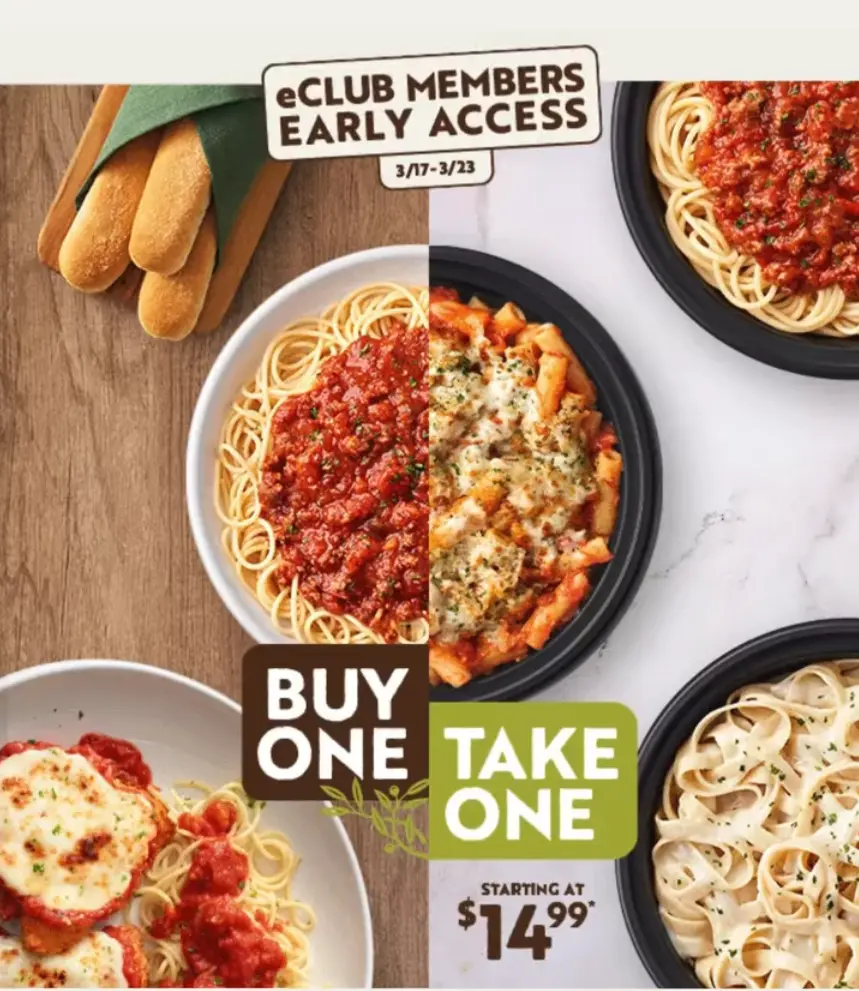
Yes, Olive Garden eClub is free to join. The official sign-up form asks for basic details such as email address, first name, last name, date of birth, and ZIP code. The page also includes an option to receive news from other Darden restaurant brands, including LongHorn Steakhouse, Bahama Breeze, Seasons 52, The Capital Grille, Eddie V’s, Yard House, and Cheddar’s Scratch Kitchen.
You do not need to buy anything just to create an eClub account or join the email list. However, a coupon you receive may require a purchase, a dine-in visit, an entrée order, or a specific redemption method. Always check the details in the email because the free sign-up and the coupon terms are two different things.
How to Sign Up for Olive Garden eClub
Signing up for Olive Garden eClub is usually simple, but small mistakes can stop you from receiving the right offers. Use the official Olive Garden website rather than random coupon pages because old third-party pages may show expired claims. The official sign-up flow is the safest place to enter your details and confirm current terms.
Step 1: Go to the Official Sign-Up Page
Start from Olive Garden’s website and look for “Join eClub” or the email sign-up form. The sign-up page is part of Olive Garden’s official customer service and account area. Avoid unofficial coupon pages that ask for extra information or promise rewards that Olive Garden does not publicly confirm.
Step 2: Enter Your Email and Basic Details
The form asks for your email address, first name, and last name. Use an email account you actually check because coupons and welcome messages are normally sent there. If you use a secondary inbox, remember to check the Promotions, Updates, or Spam folders after joining.
Step 3: Add Your Birthday and ZIP Code
Your date of birth and ZIP code help Olive Garden send more relevant local offers. The birthday field matters because Olive Garden’s FAQ says guests can receive a complimentary dessert on their birthday when dining with the restaurant, and signing up with birthdate and address details helps them send special coupons for a local Olive Garden.
Step 4: Check Your Email for Offers
After signing up, check your inbox for a welcome email, confirmation message, or coupon. If you do not receive anything quickly, do not sign up repeatedly with several addresses right away. Give the system time, then check spam filters, blocked sender settings, and spelling mistakes in the email address.
Olive Garden eClub Benefits
The main benefit of joining Olive Garden eClub is access to email-based offers and updates. These offers are not always the same for every user, so the best way to understand your benefit is to read the actual email you receive. Olive Garden’s privacy notice says eClub is designed to keep customers updated on offers, promotions, and news related to Darden brands.
Benefit | What You Should Know |
|---|---|
Welcome Offer | May include a free appetizer, dessert, coupon, or other offer depending on the current promotion |
Birthday Dessert | Available for birthday celebrations when dining with Olive Garden |
Local Coupons | May vary by restaurant, ZIP code, account, and campaign timing |
Menu Updates | Helps members stay informed about new menu items, specials, and limited-time offers |
Online Updates | May include To Go, account, delivery, or digital ordering news |
The eClub is best understood as a flexible offer program rather than a fixed membership with permanent benefits. A welcome offer may be available at one time, then change later based on Olive Garden’s active promotion. That is why older searches such as “Olive Garden eClub coupon 2016” are not reliable for current coupon rules.
Welcome Coupon or Sign-Up Offer
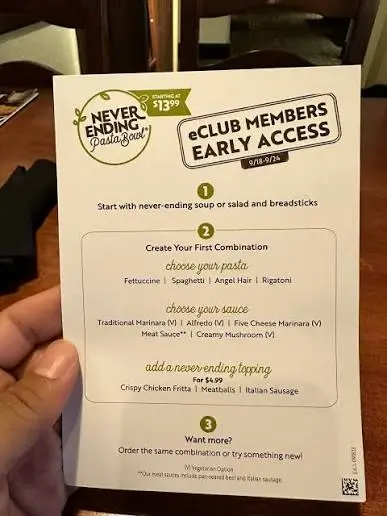
Olive Garden’s email sign-up page has appeared with language promoting a free appetizer or dessert for joining the eClub. Since offer language can change, customers should confirm the current offer on the official sign-up page before expecting a specific item. Olive Garden also says it may offer free food, drinks, coupons, special offers, or other discounts to people who sign up for eClub or other promotions.
A welcome coupon may include conditions that affect how useful it is. It might require a dine-in purchase, exclude alcohol or limited-time items, or have a short expiration date. Do not assume a screenshot from another customer will work for your visit because many offers are tied to a specific email, account, or campaign.
Birthday Dessert Offer
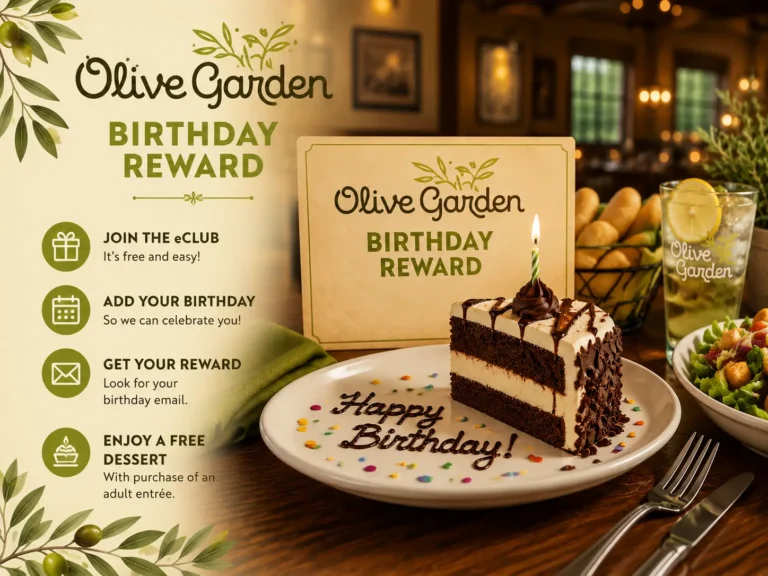
Olive Garden guests can receive a complimentary dessert on their birthday when dining with the restaurant. The official FAQ also tells customers to sign up for eClub and include details such as birthdate and address so Olive Garden can send offers and coupons for a local restaurant. This makes the birthday field important during sign-up, especially if your main reason for joining is the birthday offer.
The exact dessert, coupon format, and timing can vary, so read the birthday email carefully before visiting. Some offers may require a purchase or have a dine-in condition. If your birthday is close, sign up early rather than waiting until the same day.
Planning to redeem a birthday dessert? Explore the full Olive Garden Desserts Menu to see the sweet treats that may be available at your local restaurant.
Email Coupons and Local Offers
Olive Garden eClub coupons can include discounts, food offers, seasonal deals, or updates tied to a local restaurant. These emails are useful because national promotions and local availability are not always identical. A coupon that works in one area may not appear in another ZIP code.
Customers should also understand that email coupons usually have expiration dates. Some may only apply to dine-in, while others may be valid online or for To Go orders. Read the offer terms before building your meal around the discount.
Menu News and Limited-Time Updates
The eClub can also help customers hear about menu changes, new offers, specials, and limited-time promotions. Olive Garden’s about page says eClub members can hear what is new, including menu items, specials, offers, and more. This matters because Olive Garden often uses seasonal promotions and limited-time campaigns to bring attention to specific menu items.
This benefit is not always about an immediate coupon. Sometimes the value is knowing what is available before you visit. If you like trying new specials, the eClub can reduce the chance of missing a short promotion.
Olive Garden eClub vs Rewards Program
Olive Garden eClub is not the same as a rewards program. A rewards program usually means customers earn points, track spending, and redeem rewards after reaching a threshold. Olive Garden’s FAQ clearly states that it currently does not offer a rewards program, but customers can sign up for eClub to receive news and offers.
Search Term | Correct Meaning |
|---|---|
Olive Garden eClub | Email club for offers, coupons, and updates |
Olive Garden eClub rewards | Often means email offers, not points |
Olive Garden eClub points | No public points system is currently offered |
Olive Garden redeem points | Not applicable to eClub |
Olive Garden eClub coupon | Email-based offer or promotion |
Olive Garden eClub birthday | Birthday dessert or birthday coupon information |
This distinction helps avoid confusion before ordering. If you are expecting points after every receipt, eClub may disappoint you because it does not work like that. If you only want occasional coupons and birthday offers, it can still be worth joining.
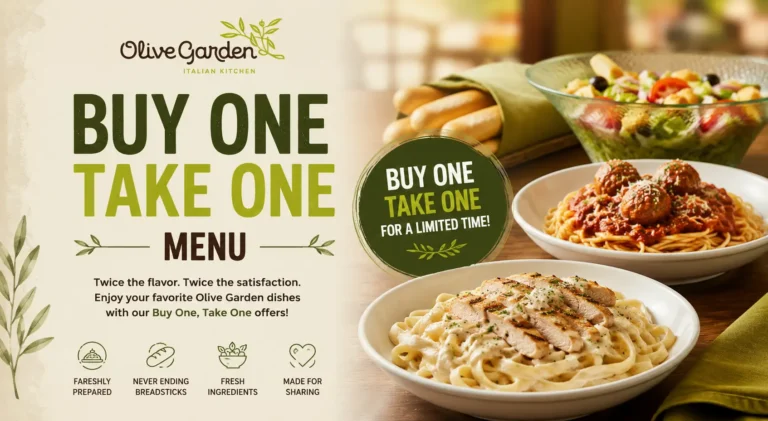
If you enjoy limited-time meals and seasonal promotions, don’t miss our guide to the Olive Garden Specials Menu to see the newest offers available.
Olive Garden eClub Coupons: What to Expect
Olive Garden eClub coupons are usually sent by email and may be connected to your account, location, birthday, or active promotion. They should not be treated like public promo codes that anyone can copy and paste. The safest rule is simple: use the coupon exactly as written in the email.
Coupon Type | Best Use | Watch For |
|---|---|---|
Welcome Coupon | First visit after signing up | Expiration date and minimum purchase requirement |
Birthday Dessert | Birthday dine-in visit | Birthdate, local availability, and coupon timing |
Seasonal Offer | Limited-time specials | Date limits, eligible menu items, and exclusions |
Online Order Offer | Pickup or delivery through Olive Garden | Online promo code rules and service limitations |
Local Restaurant Coupon | Visit to a nearby Olive Garden location | ZIP code eligibility and participating restaurants |
Some customers search for “Olive Garden eClub promo code,” but many eClub offers are not public codes. If the email includes a barcode, QR code, or account-specific link, it may not work for another person. Third-party coupon pages may list old offers, so always compare them with your latest Olive Garden email.
Can You Use Olive Garden eClub for Takeout or Delivery?
Some Olive Garden eClub offers may work for To Go orders, but it depends on the coupon terms. Olive Garden’s FAQ says online ordering for To Go is available at most locations, and customers can view the To Go menu online. That does not mean every eClub coupon automatically works for every pickup or delivery order.
Ordering Method | How eClub May Help | Important Caution |
|---|---|---|
Dine-In | Birthday dessert, food coupons, and local offers | Show the coupon before ordering or paying |
Pickup | Some online offers may apply | Use Olive Garden’s official ordering system if required |
Carside Pickup | Helpful if the coupon is valid for To Go orders | Check whether the promo code applies before checkout |
Delivery | May include separate discounts or promotions | Third-party delivery apps may not accept eClub offers |
Catering | Usually separate from regular eClub coupons | Catering terms, restrictions, and minimum order requirements may apply |
The best move is to test the coupon before placing an online order. Add your food, apply the offer if a code is provided, and confirm the discount before payment. For dine-in, show the email to the server early so you do not find out at the end that the offer does not apply.
Olive Garden eClub Login, Sign In, and Account Access
People often search for “Olive Garden eClub login” or “Olive Garden eClub sign in” because the eClub is connected with online account activity. The official sign-up flow includes account creation and login options, so returning users may need to log in rather than create another account. If you already signed up, try using the same email address before making a new profile.
Creating multiple accounts can make coupon tracking messy. You may get duplicate emails, miss the correct birthday offer, or confuse which inbox has the active coupon. A single clean account with your correct birthday and ZIP code is better for long-term use.
Why You May Not Get Olive Garden eClub Emails
If you joined Olive Garden eClub but did not get an email, the first thing to check is your inbox filtering. Gmail and other email providers may send restaurant offers to Promotions, Updates, Spam, or Junk. Search your inbox for “Olive Garden,” “eClub,” “offer,” or “coupon” before signing up again.
Other common issues include a mistyped email address, an unsubscribed email, a blocked sender, or a delay in the welcome message. You may also miss birthday-related offers if you entered the wrong birthdate or signed up too close to your birthday. If the issue continues, use Olive Garden’s official contact page or account support rather than relying on coupon websites.
Quick checks before contacting support:
These simple checks solve many eClub email problems. If nothing works, the issue may be account related or tied to an old marketing preference. In that case, official customer support is more useful than joining again with many addresses.
If your coupon includes a free starter, check out the Olive Garden Appetizer Menu to explore all available appetizer options before you order.
Common Mistakes Before Using Olive Garden eClub
One common mistake is thinking Olive Garden eClub gives points for every order. The official FAQ says Olive Garden currently does not offer a rewards program, so customers should not expect points, receipt entry, or point redemption. This is why searches like “Olive Garden eClub enter receipt” and “Olive Garden eClub redeem points” often lead to confusion.
Another mistake is assuming all coupons work at every restaurant and through every ordering method. Olive Garden offers can vary by location, channel, and campaign. A dine-in coupon may not work on delivery, and a local offer may not apply outside the selected area.
Customers also forget to check nutrition and allergen details when using a free appetizer or dessert coupon. A free item is still food with calories, ingredients, and possible allergens. Olive Garden’s FAQ directs guests with gluten concerns to the Nutrition Guide and recommends telling the server when dining.
Past, Present, and Future of Olive Garden eClub
In the past, restaurant email clubs were often simple mailing lists. They mainly sent birthday coupons, welcome offers, and occasional promotions. Olive Garden eClub still keeps that basic purpose, but it now connects more closely with online ordering, account access, and location-based updates.
Today, eClub is best seen as Olive Garden’s official email offer channel. It helps customers hear about coupons, specials, birthday perks, menu updates, and restaurant news. It does not replace checking the official menu, reading coupon terms, or confirming availability with a local restaurant.
Looking ahead, restaurant email programs will likely become more personalized. Olive Garden could continue using ZIP code, account activity, birthday data, and digital ordering behavior to make offers more relevant. That is a trend, not a confirmed promise, so customers should rely on current emails and official pages for actual coupon terms.
Best Tips to Get More Value from Olive Garden eClub
The best way to use Olive Garden eClub is to sign up before you actually need a coupon. If your birthday is next week or you plan to visit soon, joining early gives emails more time to arrive. Use your real birthday and local ZIP code so offers match your situation.
Check your email before ordering, not after you pay. Some coupons must be applied before checkout, while others need to be shown to a server. If you are dining in, tell the server about the coupon before ordering so they can explain any limits.
Pair eClub with smart menu planning. If your coupon is for a free appetizer or dessert, compare it with your group size, meal choice, and appetite. A free appetizer may be better for sharing, while a dessert offer may be more useful for a birthday visit.
Best Tips to Get More Value from Olive Garden eClub
Customer Type | eClub Value Level | Why It Helps |
|---|---|---|
Birthday Guest | High | Birthday dessert and local offers can add extra value. |
Occasional Diner | High | Coupons may help reduce the cost of a visit. |
Frequent Takeout Customer | Medium | Some offers may apply to To Go orders, but terms vary. |
Delivery App User | Low to Medium | Third-party delivery apps may not accept eClub coupons. |
Points-Focused Customer | Low | Olive Garden does not currently offer a points-based rewards program. |
Menu Watcher | Medium | Helpful for learning about specials, limited-time menu items, and promotional offers. |
The eClub is strongest for coupon users, birthday diners, and customers who check email before visiting. It is weaker for people who only want automatic rewards after every purchase. That difference matters because it sets the right expectation before signing up.